
How to install Glossword for Joomla?
1. Install component
Login to Joomla's administration area. Then follow Extensions → Install/Uninstall.
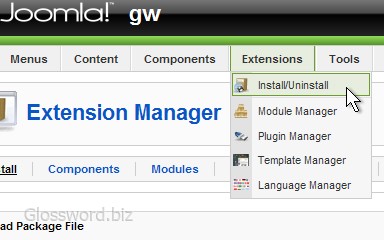
Upload package file glossword-1.9.x--component--joomla.zip
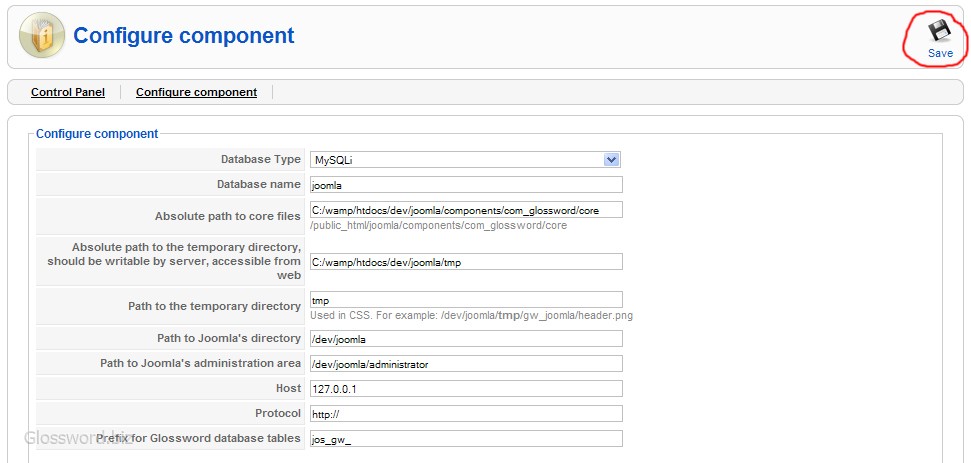
2. Configure component
Review component settings and press Save.
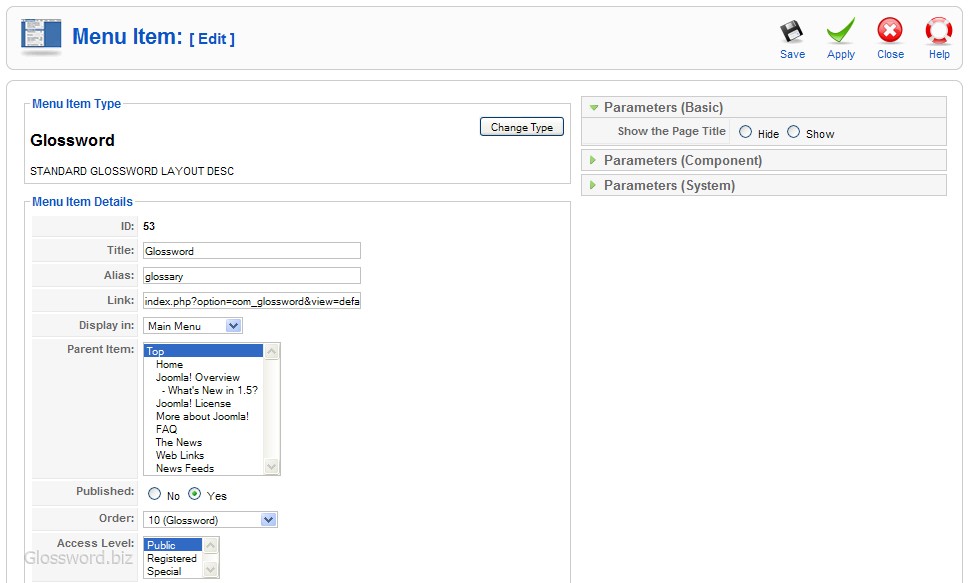
3. Add component to menu
Now add Glossword to menus. Follow Menus → Main Menu → New.
Installation finished
Now you should be able to use Glossword.
